
QR code design
QR codes that look as good as your print.
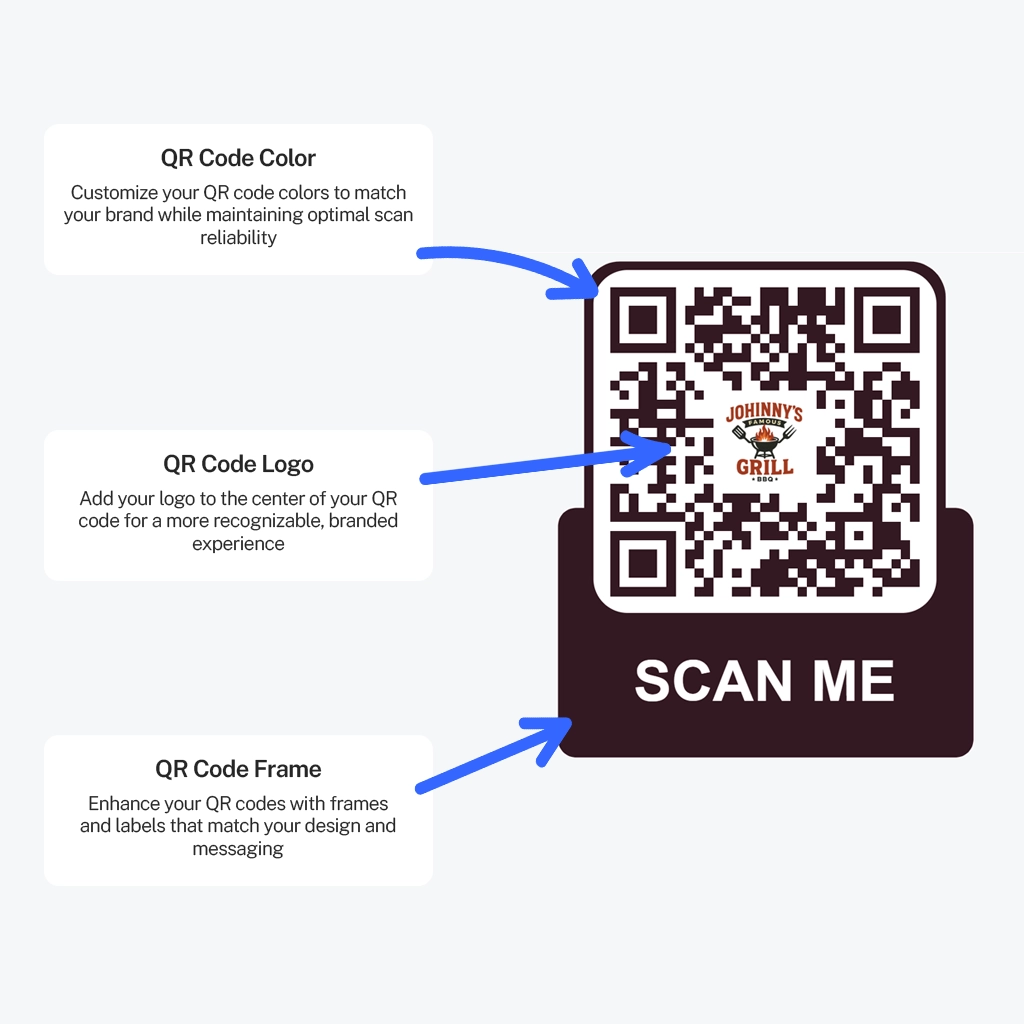
Style your code with brand colors, your logo and a frame with a call to action. Download it as a high-resolution PNG or a scalable SVG your printer will love.
No app needed to scanUnlimited scansUpdate PDFs anytimeFree to try
- No app needed to scan
- Unlimited scans
- Update PDFs anytime
- $99/year, everything included
How it works
Design, preview, download
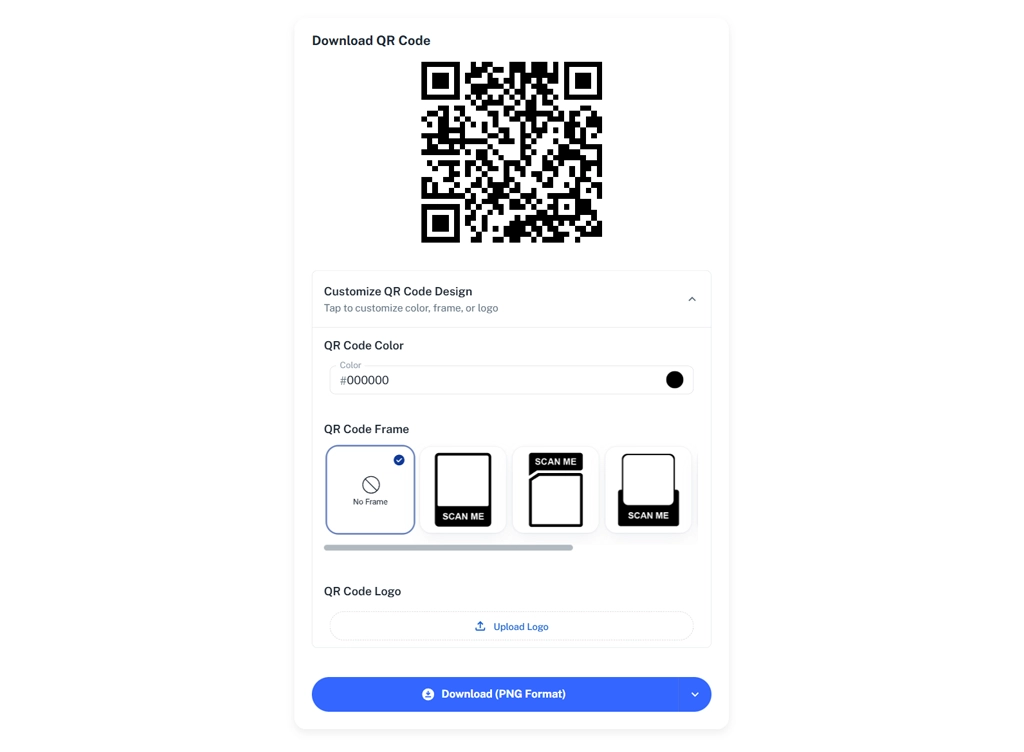
Before you download, choose your QR colors, place your logo in the center and add a frame that tells people what they’ll get when they scan.
Export a high-resolution PNG for everyday use or an SVG that stays crisp at any size, from a business card to a banner.
- Custom colors
- Logo in the center
- Frames with a call to action
- PNG and SVG downloads
Benefits
Designed to scan, built to print
Brand colors
Match your packaging, menus and signage.
Your logo
Recognition before anyone scans.
Frames
A built-in “Scan for the menu” style prompt.
PNG and SVG
Raster for everyday, vector for any size.
Several designs, one PDF
Make different codes for different placements.
Print-ready
High resolution for professional printing.
Best practices
Rules for codes that always scan
Phones need contrast and space. Give them both.
- Keep the pattern dark on a light background
- Leave a clear border (quiet zone) on all four sides
- Keep logos compact and simple
- Print at least 2 cm (0.8 in) wide for close-range scanning, larger for distance
- Use SVG for large-format print
- Test the printed proof on more than one phone
Good to know
Strong contrast matters more than any other design choice. Light or inverted colors can make codes harder to read.
You can create several QR codes for the same PDF, each with its own design.
Pricing
Everything included. One simple yearly price.
No per-code fees, no scan limits, no add-ons. Build and preview everything for free, then it’s $99/year (just $8.25 a month) when you’re ready to download.
- Free to try before you pay
- Unlimited QR codes, PDFs, edits and scans
- Every feature included, nothing held back
- A fraction of what many QR generators charge monthly
PDFQR Annual
Free to try
$99per year (USD)
just $8.25/month
Everything PDFQR offers in one plan, billed once a year. Try it free first: you only pay when you’re ready to download your QR codes.
Get started- Unlimited PDF QR codes
- Unlimited scans and edits
- Unlimited PDFs per QR code (up to 100MB each)
- Replace PDFs without changing the QR code
- Branded viewing pages: title, header image, theme color
- QR design: colors, logo and frames
- Real-time scan analytics
- High-resolution PNG and SVG downloads
Billed annually. No setup fees, no per-code fees. Each PDF can be up to 100MB. Service terms apply.
FAQ
Frequently asked questions
Can I customize the look of my QR code?
Yes. Choose colors, add a frame and place your logo inside the code.
Which file formats can I download?
High-resolution PNG and SVG.
Can I make more than one QR code for the same PDF?
Yes. Each code can have its own design or purpose, for example one for table cards and one for the window.
How big should I print my QR code?
Around 2 cm (0.8 in) is a practical minimum for scanning up close. A common rule of thumb is about 1 cm of code width per 10 cm of scanning distance. Always test a printed proof.
How much does PDFQR cost?
One plan: $99/year USD, billed annually, which works out to $8.25 a month. It includes unlimited QR codes, PDFs, edits and scans, branded pages and analytics. There are no setup or per-code fees.
More PDFQR features
Your PDF, one scan away.
Upload a file, brand the viewing page and download a print-ready QR code in minutes. Try everything free, then it’s $99/year when you’re ready to download.
No app needed to scanUnlimited scansEverything included